
Where to find this
HotelConnext › Portfolio › Open your hotel › Team › Invite a colleague
Who can do this: a hotel user allowed to manage the property team.
Step 1 — Open your hotel team #
Open your hotel and choose Team.
Step 2 — Enter the email and choose a role #
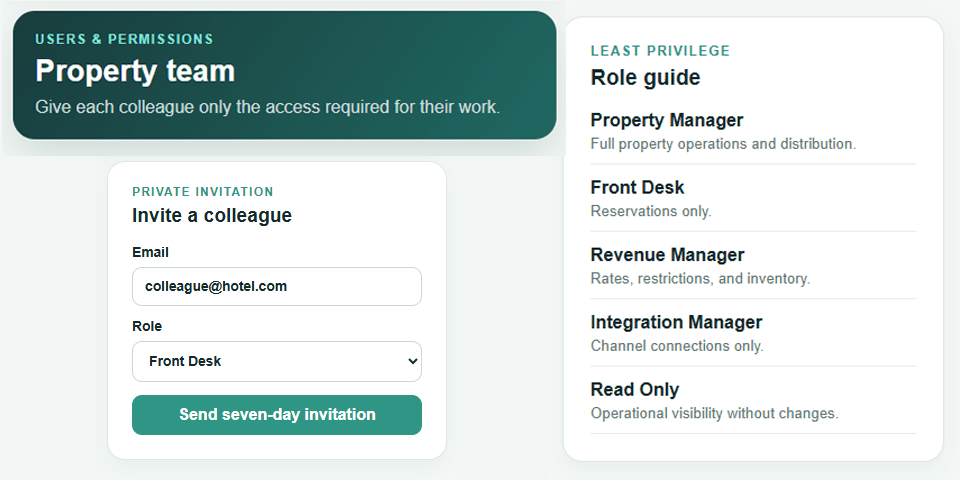
Under Invite a colleague, enter the colleague’s email address and select the role that matches their work.
Step 3 — Send the invitation #
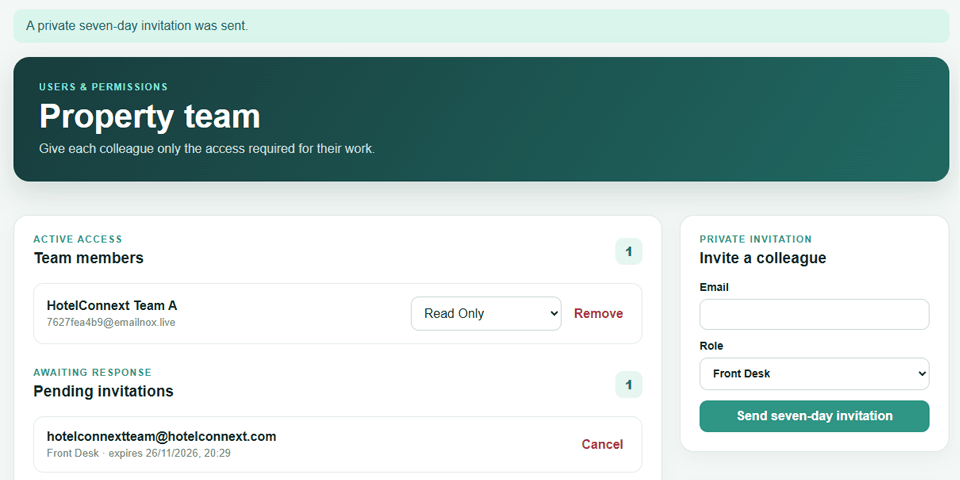
Select Send seven-day invitation. The invitation appears under Pending invitations until accepted or cancelled.
Step 4 — Review the accepted team member #
After acceptance, review the colleague under Team members. A permitted manager can change the role or remove access.
Use the role guide on the Team page. Front Desk handles reservations; Revenue Manager handles rates, restrictions and inventory; Integration Manager handles channel connections; Read Only cannot make changes.


