
Where to find this
HotelConnext › Sign in › Forgot your password?
Use this when: you can access the email address on your HotelConnext account but cannot sign in.
Step 1 — Open the password reset form #
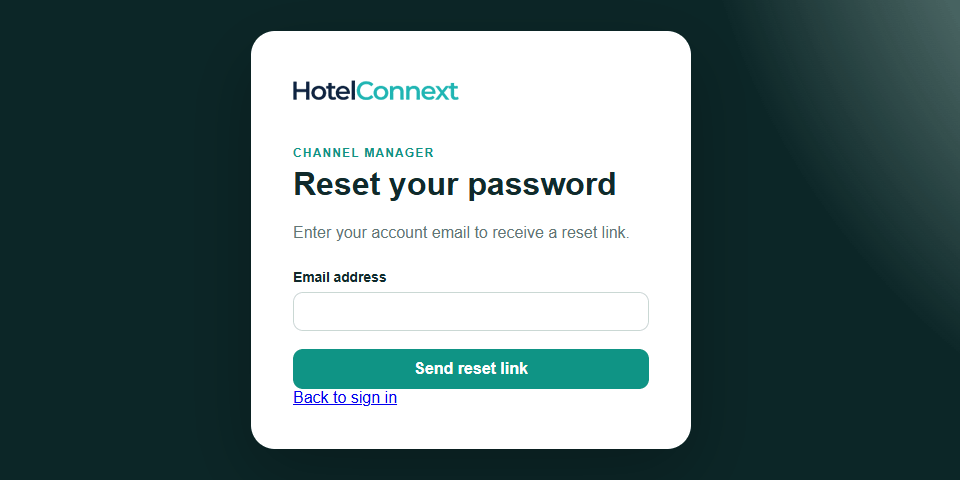
Open Sign in and choose Forgot your password?
Step 2 — Request a reset email #
Enter your account email address and select Send reset link.
Step 3 — Set a new password from the email #
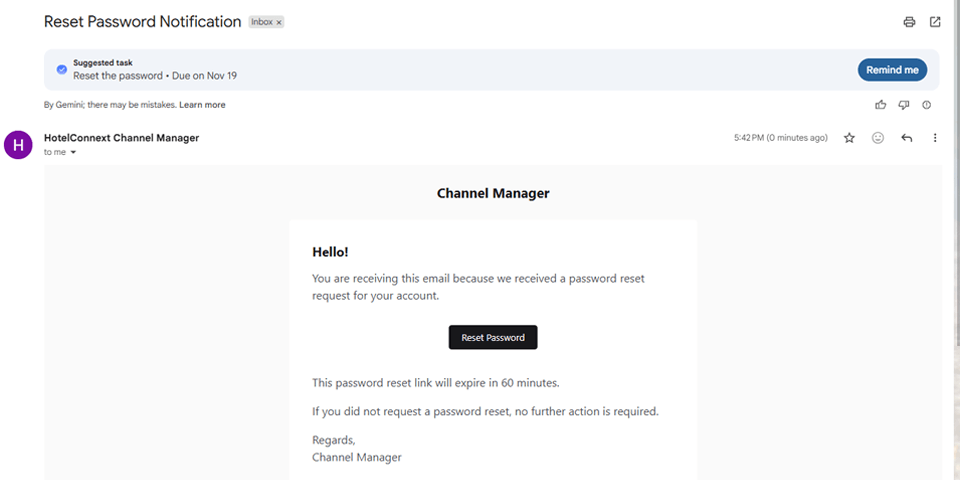
Open the reset email, follow its link, enter a new password twice and select Save new password.
Step 4 — Sign in with your new password #
Return to sign in. If your account uses two-factor authentication, enter your current Authenticator code or an unused recovery code.
If the email does not arrive, check the spam folder and verify that you entered the email used for this Channel Manager account. Contact support if you no longer control that mailbox.


