
Where to find this
HotelConnext › Portfolio › Open your hotel › Opening inventory › Check each booking source › Record source review
This message appears when the Bookings checked through date is outside the opening review window. It is a date validation message, not a failed booking import.
Step 1 — Open the source review #
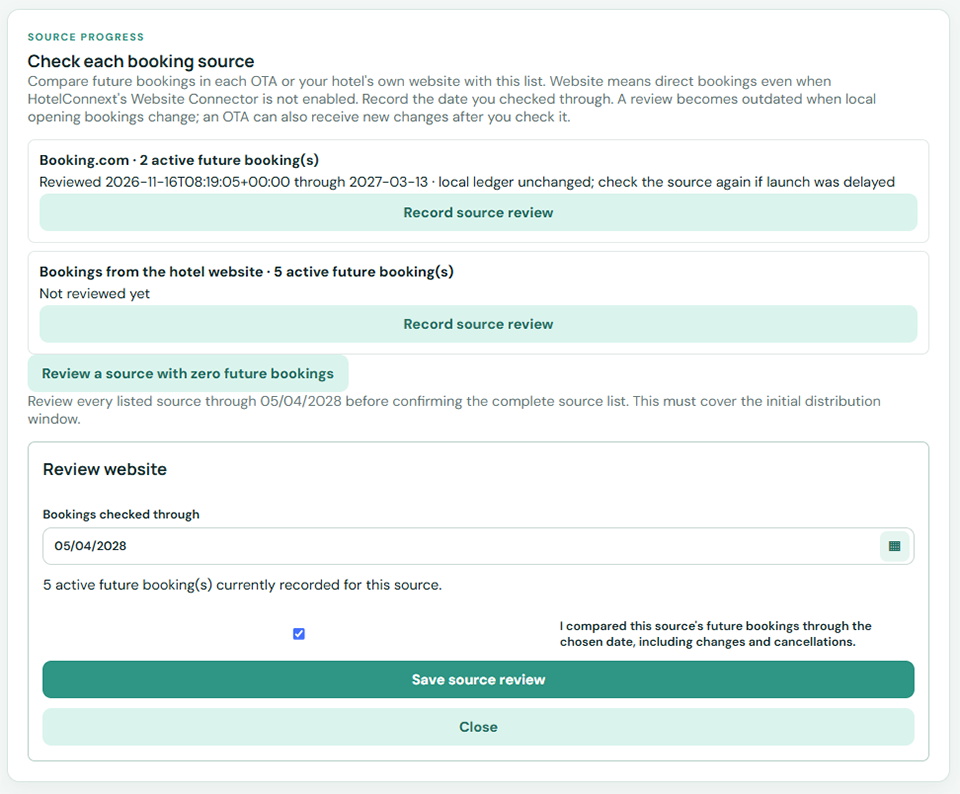
Return to Opening inventory → Check each booking source → Record source review.
Step 2 — Choose a date inside the review window #
Choose a review date no later than the maximum offered by the date picker and no earlier than today.
Step 3 — Confirm the period you checked #
Confirm that you checked the source’s future bookings through that date, then save.
If your OTA shows bookings beyond this window, keep its export and verify the near-term opening period first. Do not enter a false review date to dismiss the message.


