
Where to find this
HotelConnext › Portfolio › Open your hotel › Channels › Channel Manager
Your OTA extranet › Connectivity or provider settings
For: hotel owners after the opening balance is confirmed and live hotel updates are active.
Step 1 — Authorize the provider in the OTA #
In the OTA extranet, select Channex.io as the connectivity provider when the OTA requires it.
Step 2 — Test and map the channel #
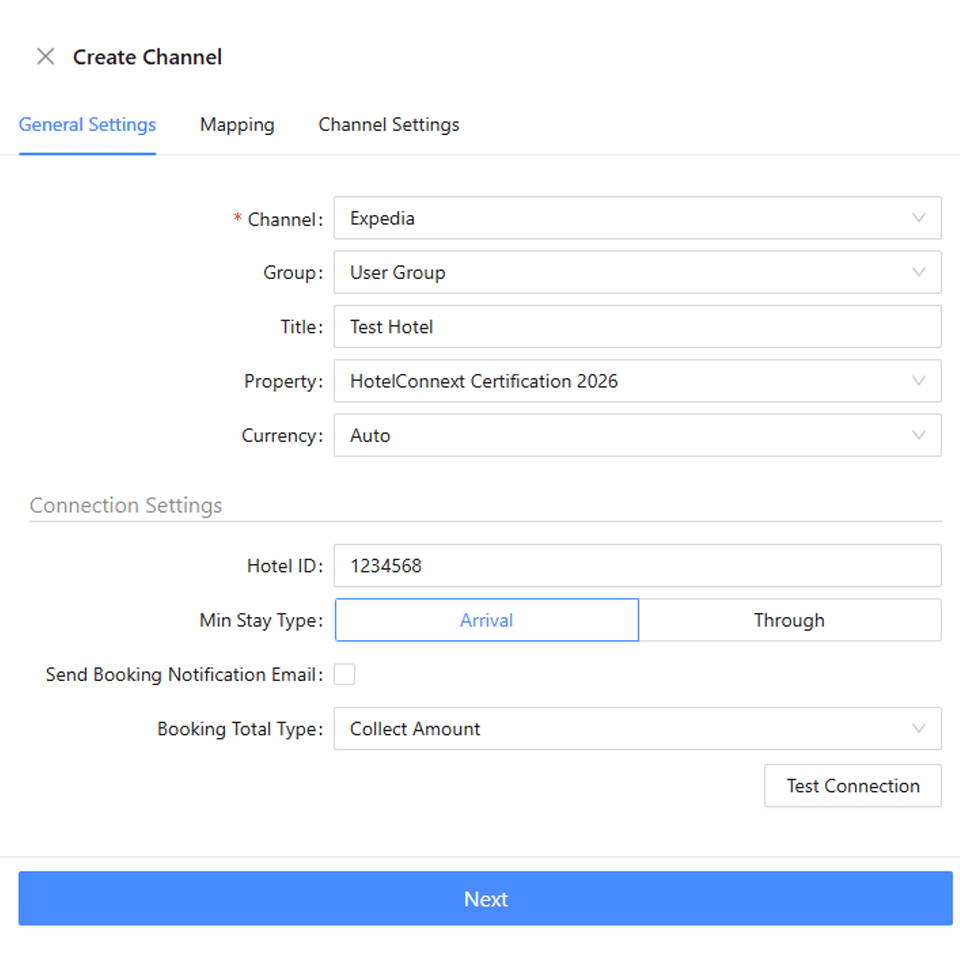
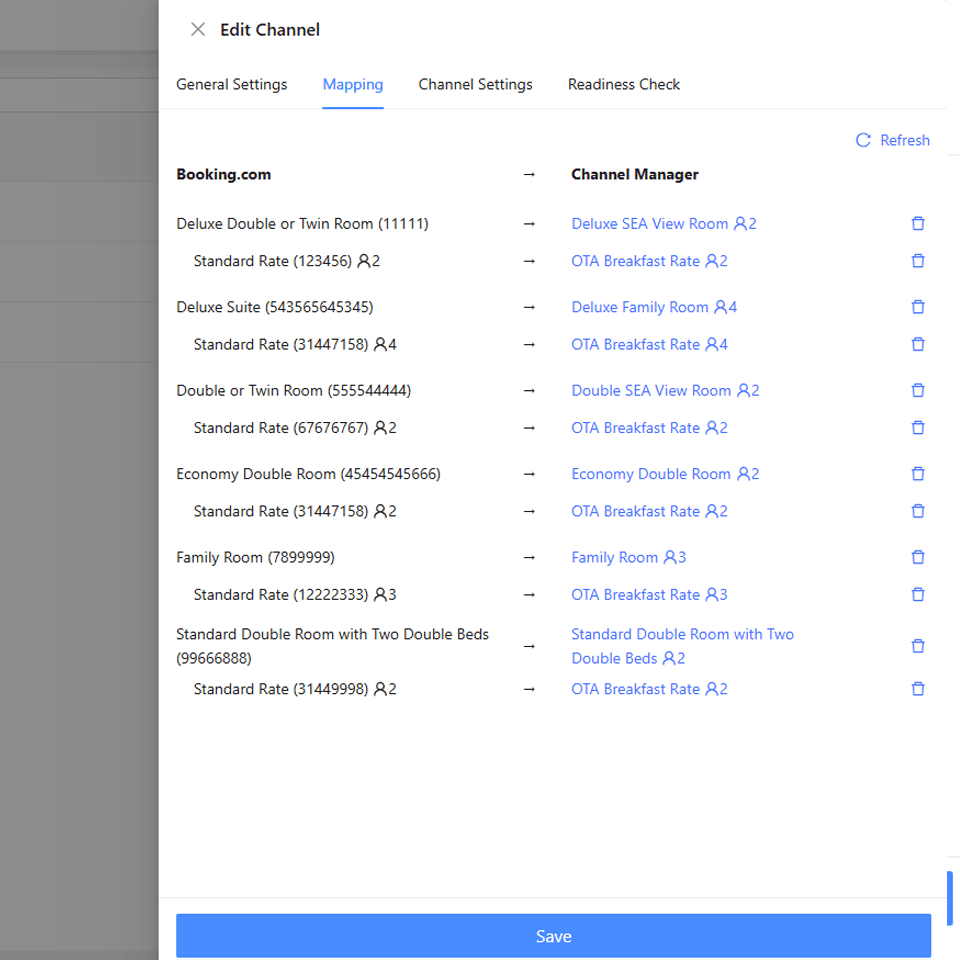
In the connected channel workspace, test the connection and map every room and rate plan to the corresponding HotelConnext room and rate.
Step 3 — Review readiness and opening availability #
Check readiness. Review one available date, one sold-out or Stop Sell date, rates and restrictions.
Step 4 — Activate and check the sync log #
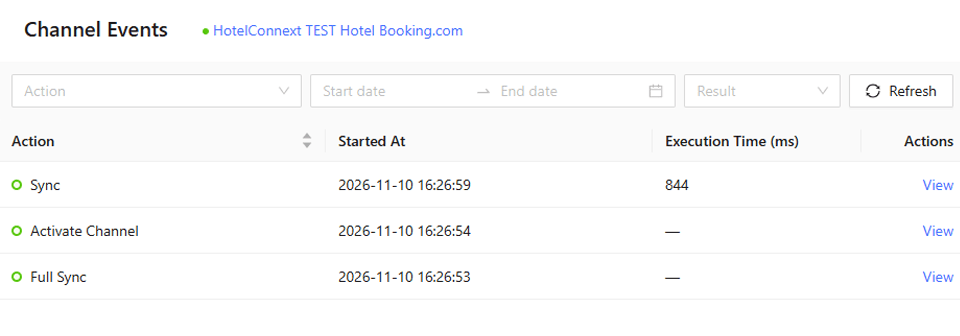
Activate the channel and confirm the sync log succeeds.
Step 5 — Verify public sales and the first booking #
Compare the same dates on the OTA’s public booking page or extranet. Verify the first real incoming reservation in HotelConnext.
Do not activate while any room or rate is unmapped, or while future bookings and opening availability are incomplete.


