
Where to find this
HotelConnext › Portfolio › Open your hotel › Opening inventory › Add an existing booking
HotelConnext › Portfolio › Open your hotel › Opening inventory › Compare bookings from a CSV
For: hotel owners and staff preparing a new hotel.
Enter confirmed future bookings before a channel starts sending new availability. A booking that already exists on an OTA must be counted once in HotelConnext. Include direct website and reception bookings too.
Step 1 — Open the hotel opening inventory #
In your hotel, open Opening inventory.
Step 2 — Record one booking with its original number #
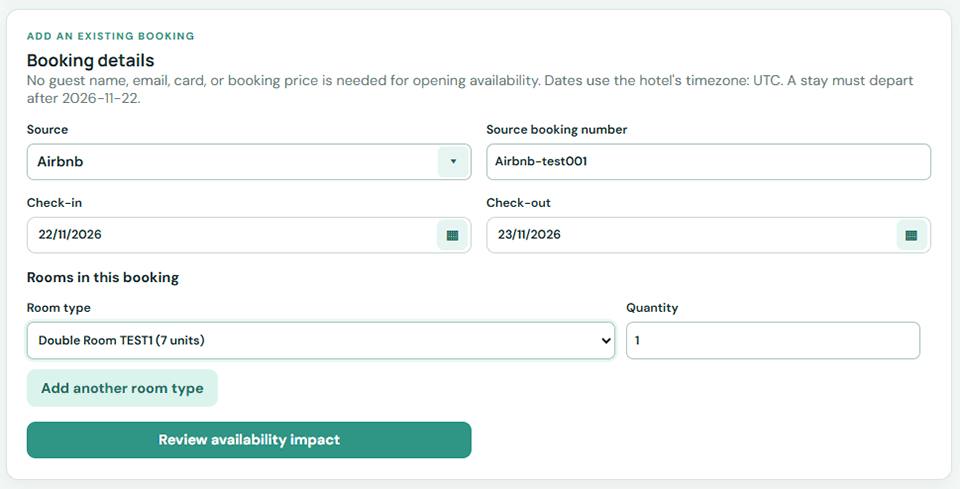
Select the booking source and enter its original reservation number, check-in, check-out, room type, room count and current status.
Step 3 — Compare a source CSV when available #
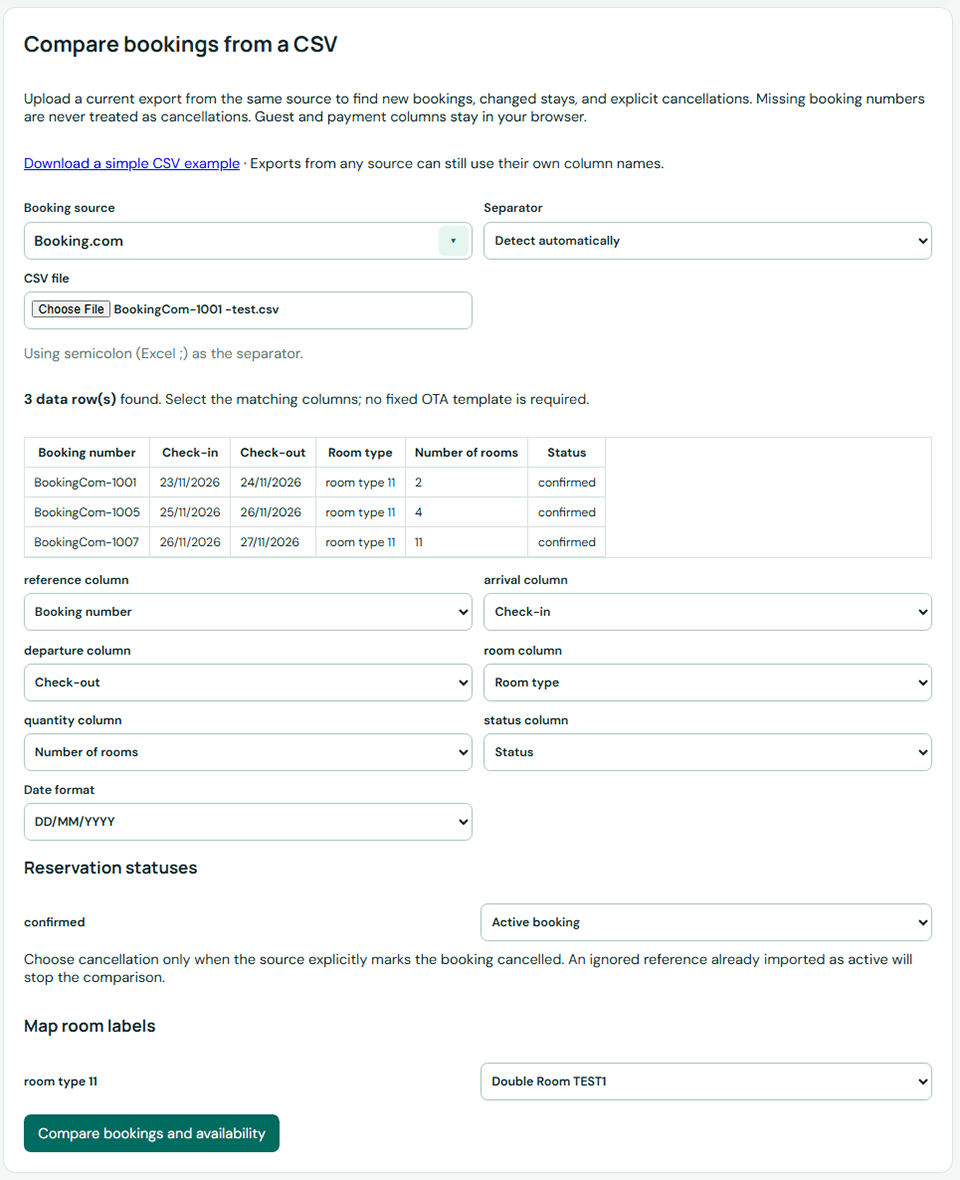
For a file, choose Compare bookings from a CSV. Map the columns, preview additions, updates and explicit cancellations, then confirm the changes.
Step 4 — Check the opening balance and warnings #
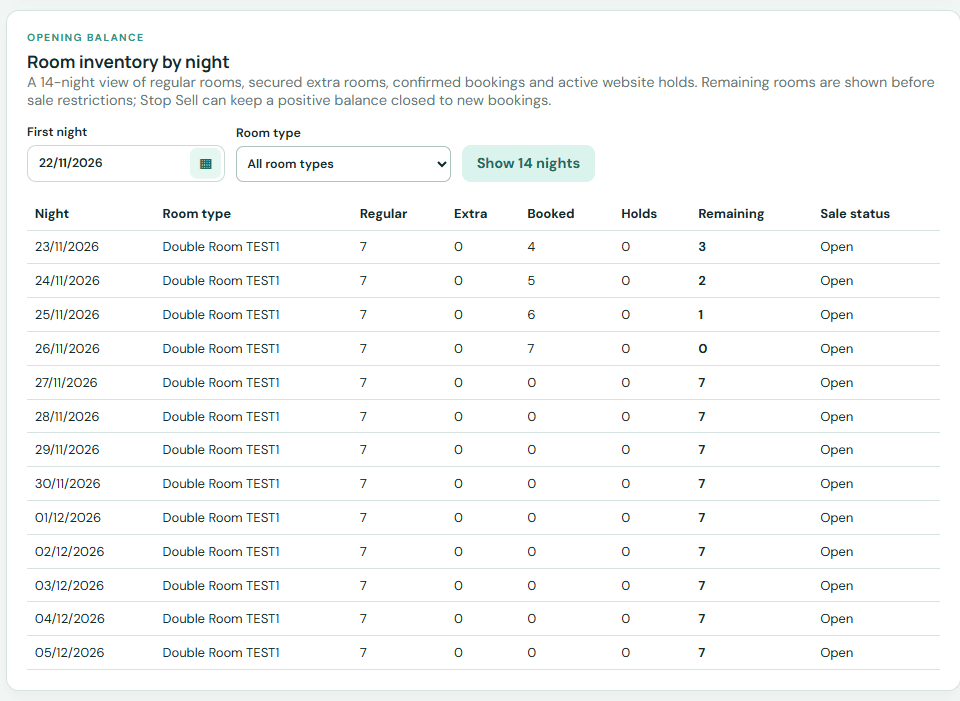
Review the capacity warnings and verify the opening balance by date and room type.
Important: the current upload accepts CSV with comma or semicolon separators. If an OTA exports XLS/XLSX, save a CSV copy first or enter the booking manually. Keep the original export for your records. Do not interpret a missing row in a newer file as a cancellation unless the source explicitly confirms it.


