
Where to find this
Booking.com Extranet › Account › Connectivity Provider
HotelConnext › Portfolio › Open your hotel › Channels › Channel Manager › Booking.com
Before you start: finish the HotelConnext Setup Wizard, record existing future bookings, and verify opening availability. Keep your Booking.com property ID ready.
Step 1 — Connect Channex.io in Booking.com #
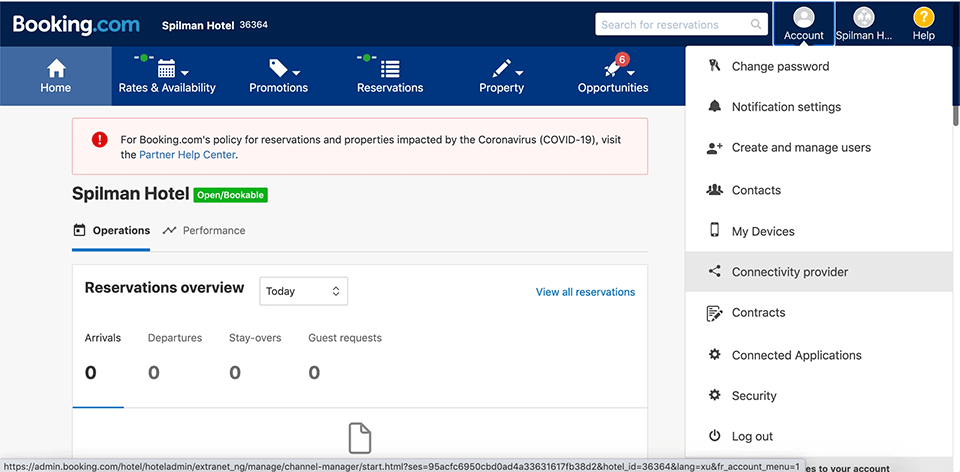
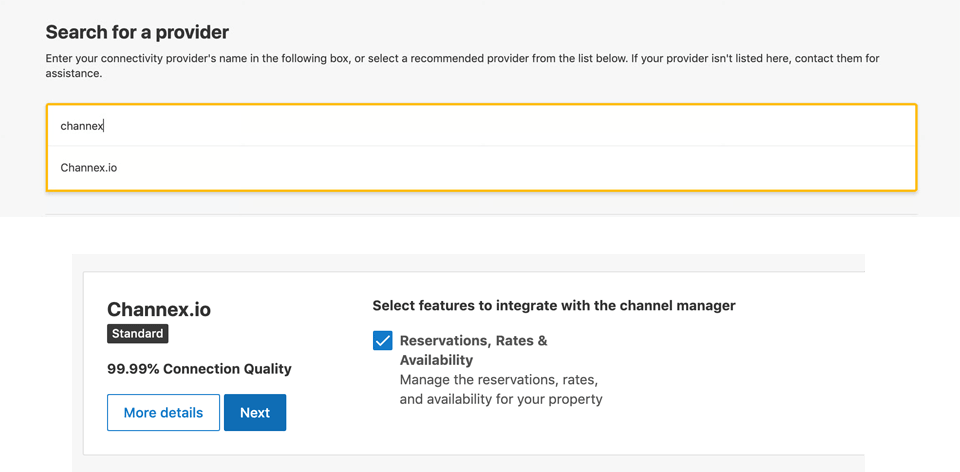
In the Booking.com Extranet, open Account → Connectivity Provider, search for Channex.io, and request the connection for rates and availability and reservations. Complete the provider agreement shown there.
Step 2 — Create and test the Booking.com channel #
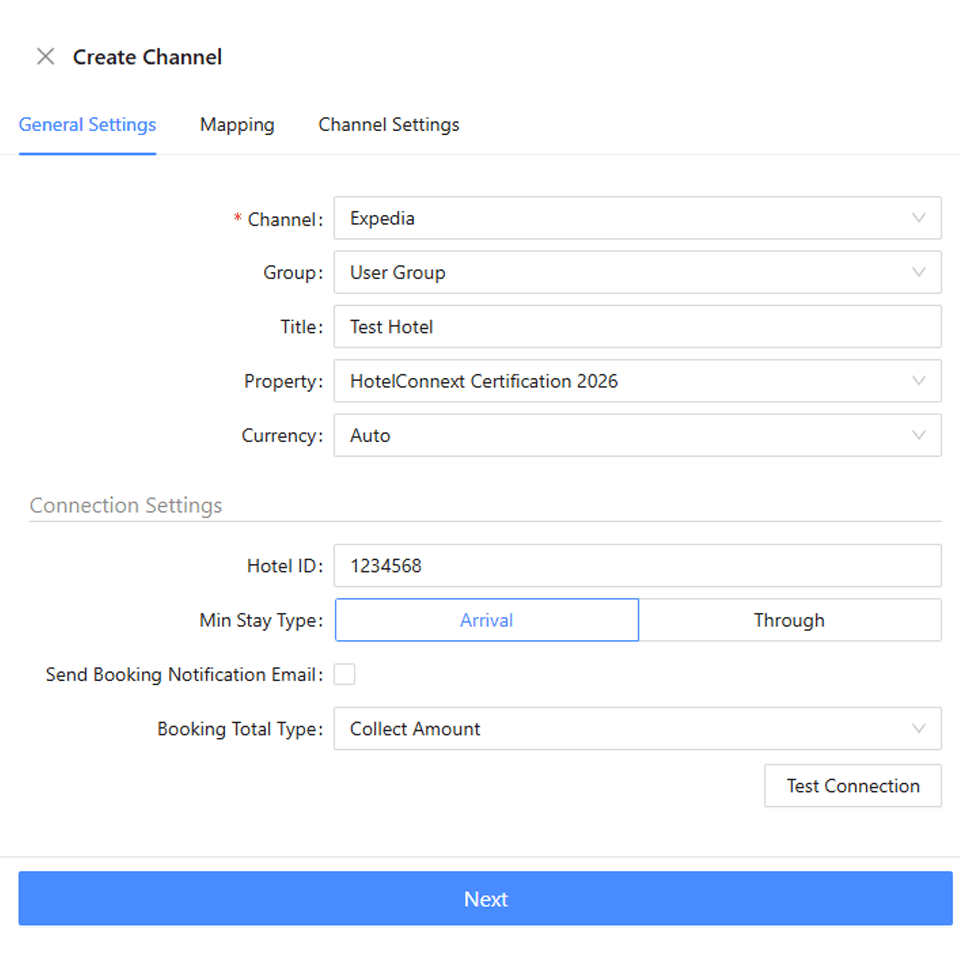
Back in your HotelConnext hotel, open Channels → Channel Manager. Create a Booking.com channel for the correct hotel and enter its Booking.com property ID. Test the connection.
Step 3 — Map every room and rate #
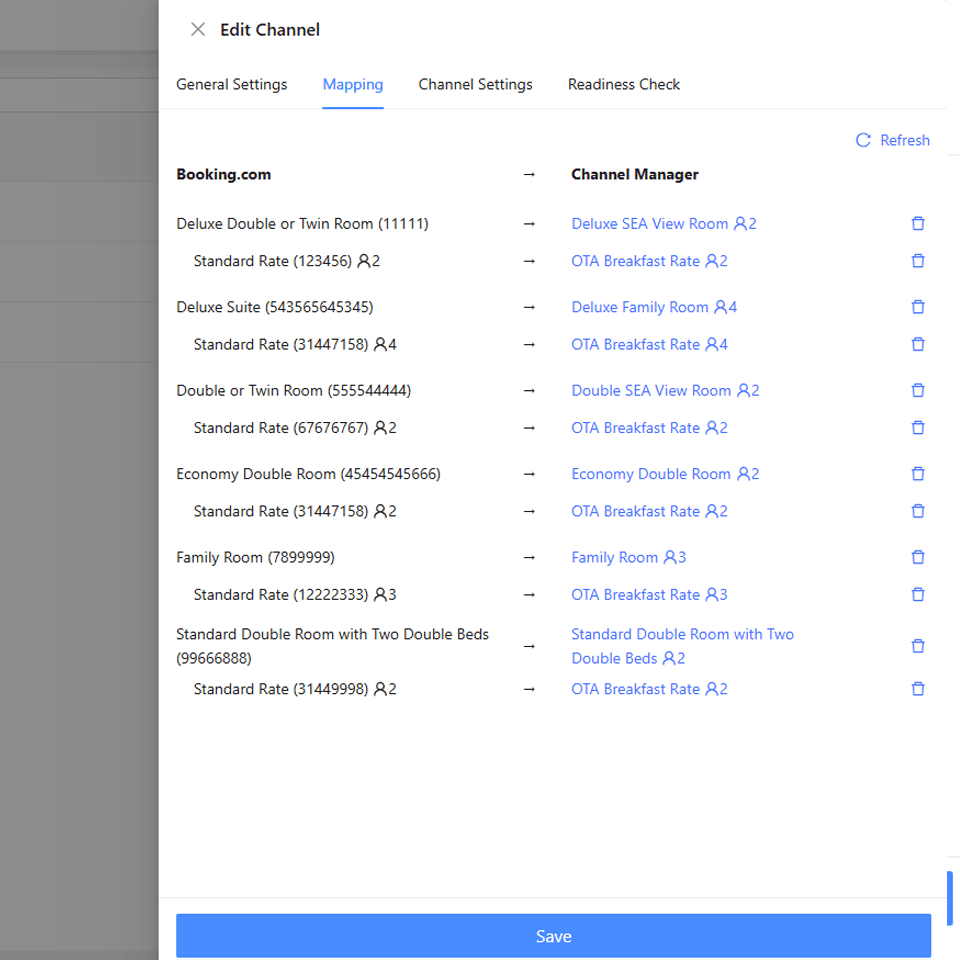
Map every Booking.com room and rate to the matching HotelConnext room and rate. Use the Booking.com room IDs when names are similar. Save the channel in its disabled state.
Step 4 — Activate after the readiness check #
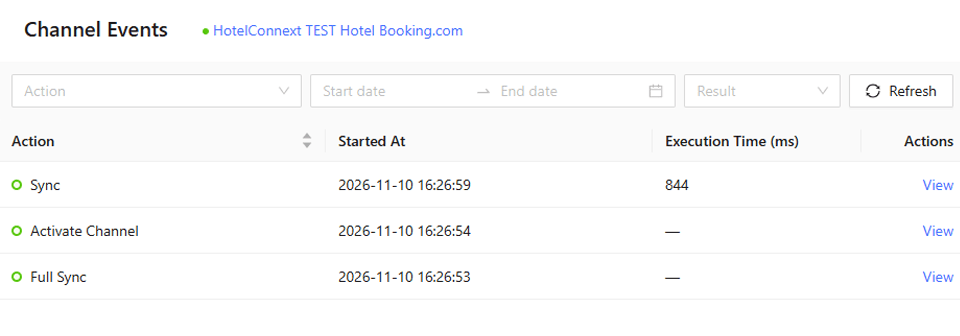
Review the readiness check and opening availability. Activate the channel, then inspect the channel log for a successful full sync.
Step 5 — Verify availability and prices in Booking.com #
In the Booking.com Extranet and public booking page, compare one open date, one closed date, rates and restrictions with HotelConnext. Review derived-rate restrictions separately.
Existing bookings: the channel can offer “Pull Future Reservations.” Pulling bookings into the channel manager does not by itself calculate HotelConnext opening availability. Confirm that the same reservations were recorded once in Opening inventory before activation.
Verify: the first new Booking.com reservation appears in HotelConnext and reduces the correct room nights across connected channels.


