
Where to find this
HotelConnext › Portfolio › Open your hotel › Opening inventory › Needs investigation
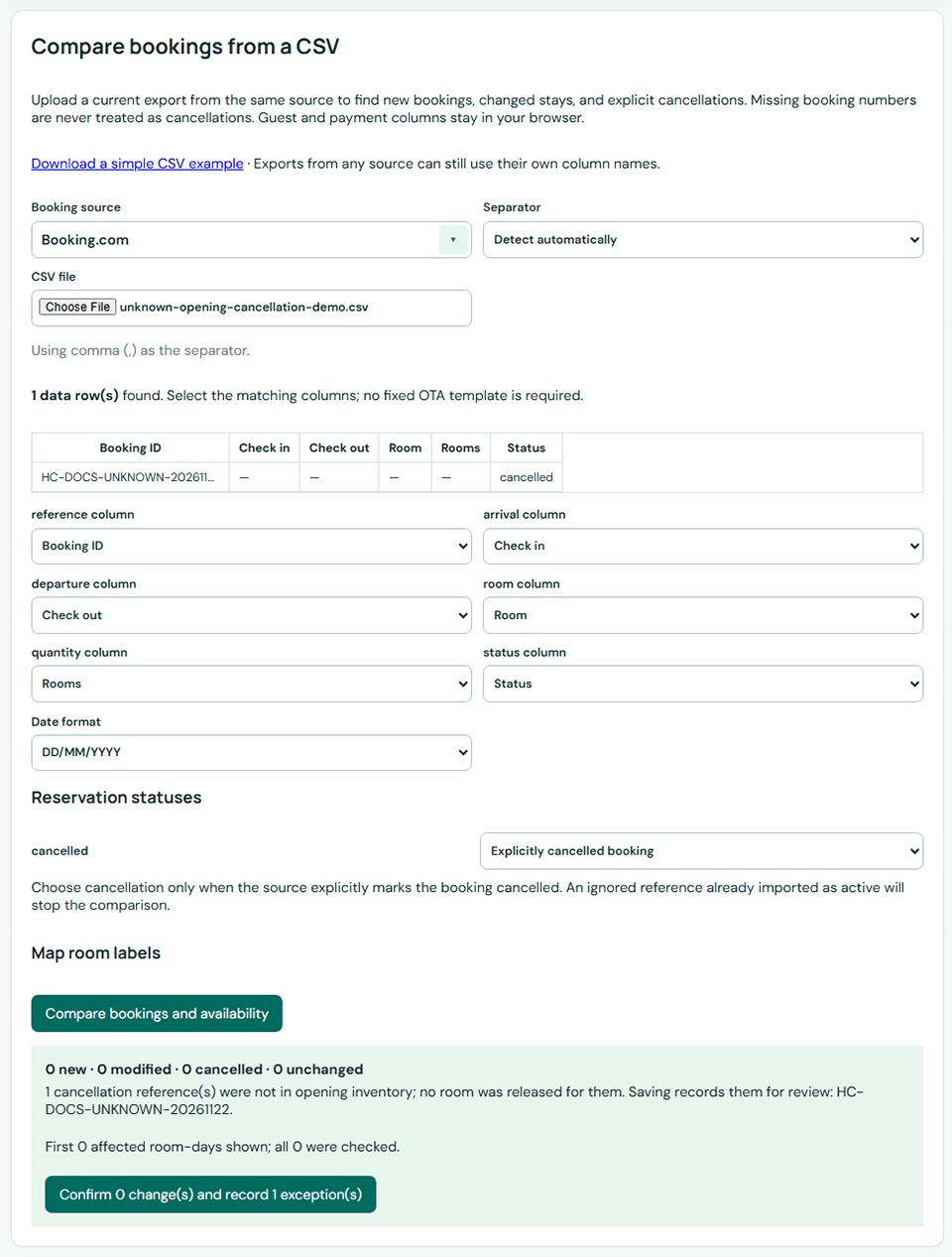
The uploaded CSV explicitly marked a booking cancelled, but HotelConnext could not find its booking number in opening inventory. No room has been released.
Step 1 — Verify the cancellation in its source #
Open the booking in its original source and confirm the reservation number, hotel, room type, dates and cancellation status.
Step 2 — Search the opening booking list #
Search Opening bookings already recorded using that same source booking number.
Step 3 — Resolve a reference that does not belong here #
If this cancellation does not concern an imported booking for this hotel, use Review exception, record what you checked, and confirm that resolving it must not change room inventory.
Step 4 — Correct a booking saved under another number #
If an active booking was imported under a different number, correct the source record first and review the inventory effect before resolving the exception.
Do not reduce availability or release a room manually because of an unknown cancellation reference.


