
Where to find this
HotelConnext › Portfolio › Open your hotel › Setup Wizard
For: hotel owners with an active HotelConnext subscription.
The Setup Wizard walks you through five tasks: check hotel details, add rooms and prices, check existing bookings, prepare the connection, and confirm the opening balance. Follow the action shown in each step before moving on.
Step 1 — Open the hotel Setup Wizard #
Open your hotel from the dashboard and select the Setup Wizard.
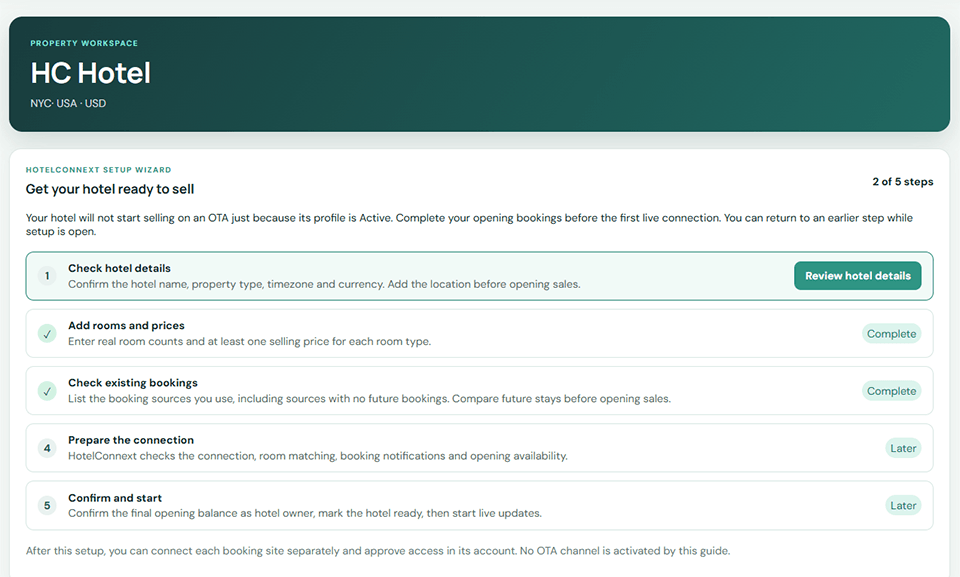
Step 2 — Check hotel details #
Confirm the hotel time zone, currency and property type.
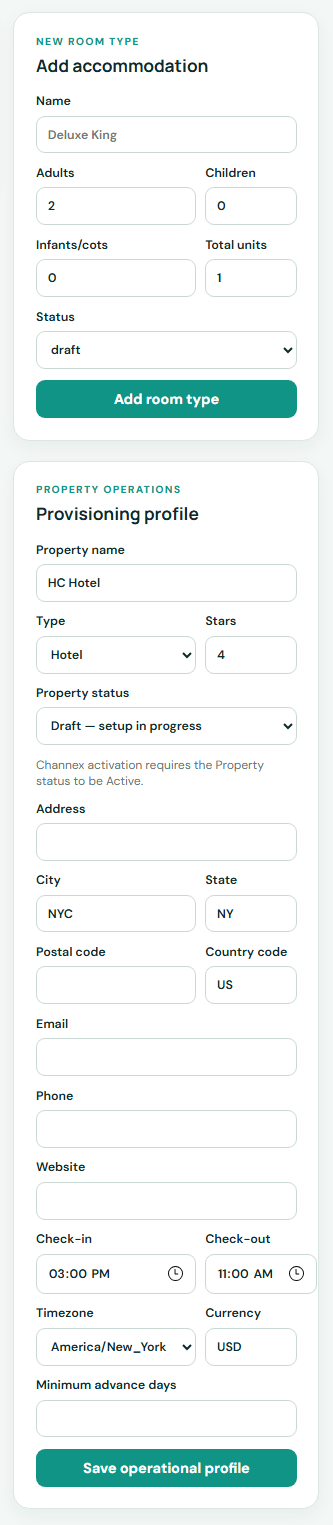
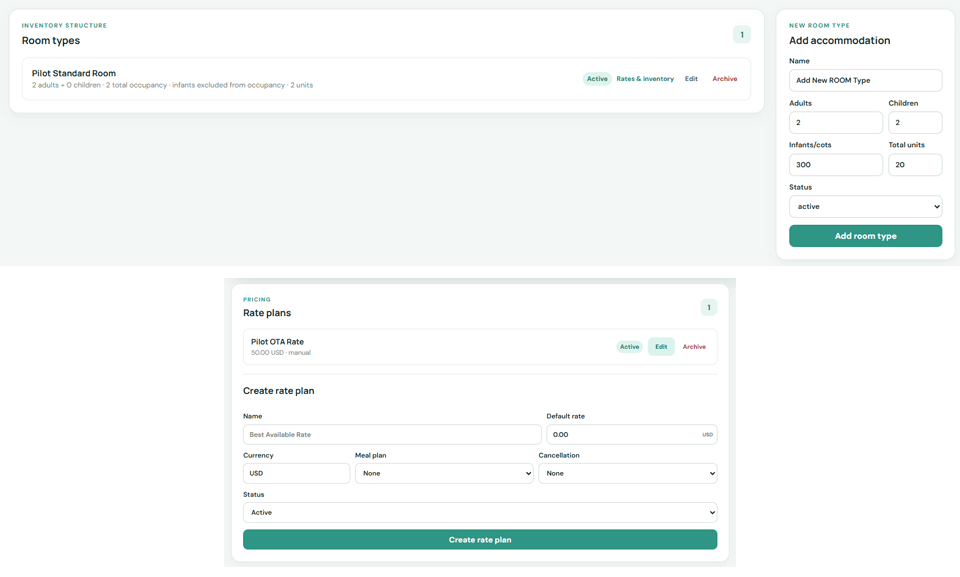
Step 3 — Add rooms and prices #
Add the real room types, physical room counts and at least one active rate plan.
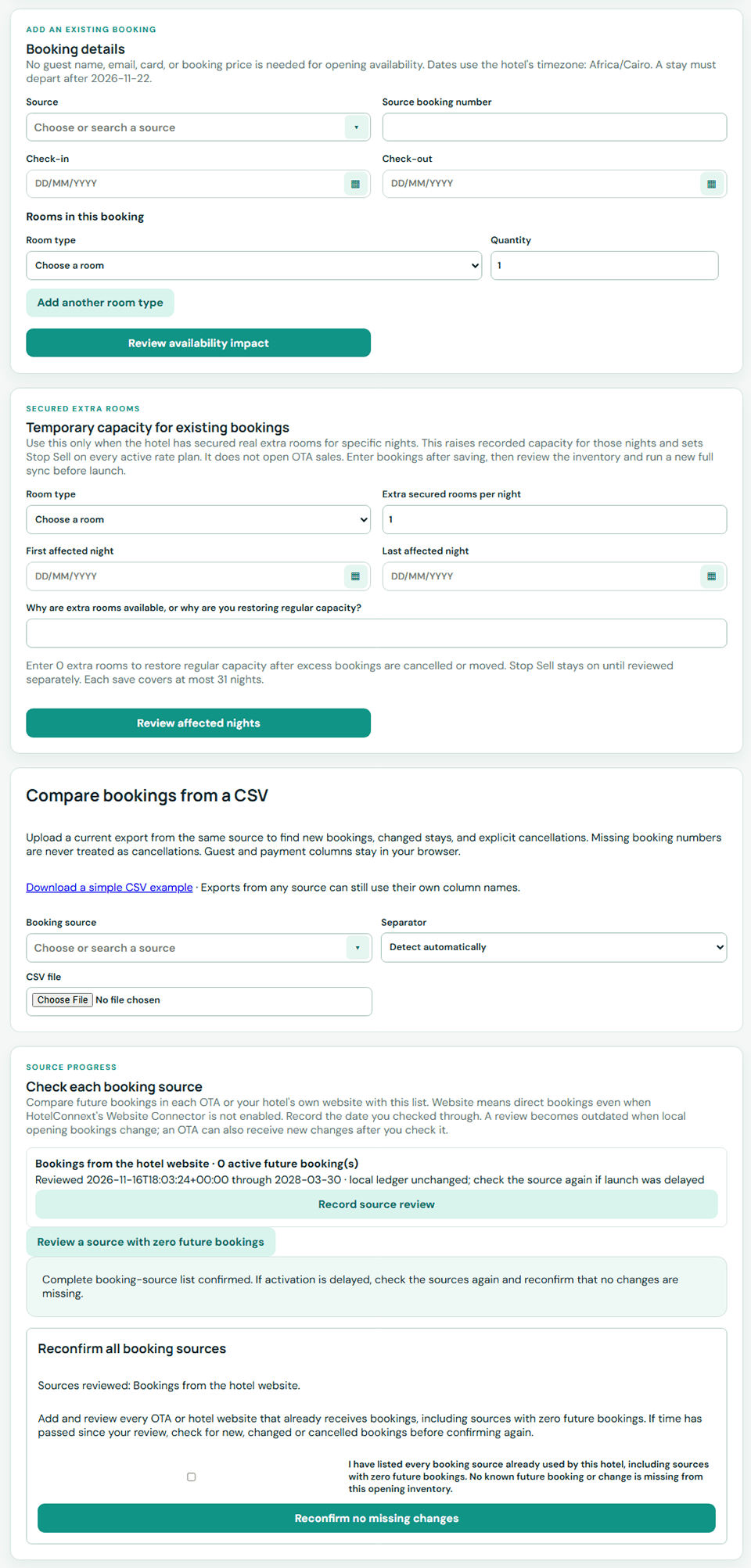
Step 4 — Check existing bookings #
Record future bookings from every source that has them. Confirm each source, including sources with no future bookings.
Step 5 — Prepare the connection #
Follow the connection checks and send opening availability.
Step 6 — Confirm and start live updates #
Review the opening balance and confirm. Use the wizard buttons to mark the hotel ready and start live updates.
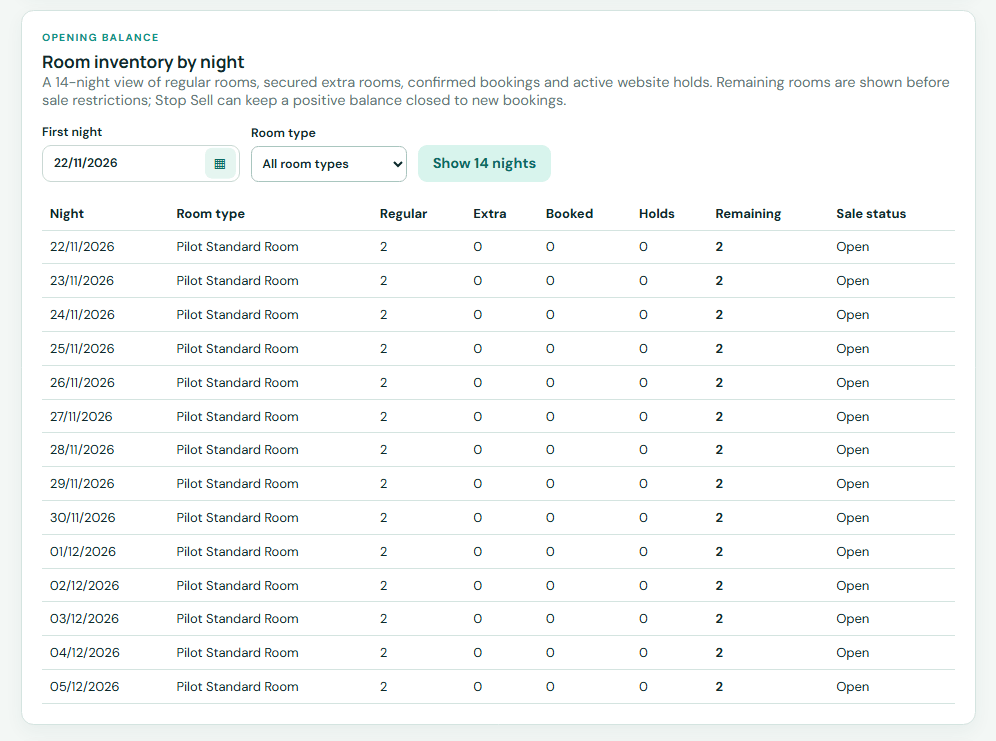
Check: the wizard shows Setup complete. Then inspect one open date and one sold-out date in the inventory calendar before connecting an OTA.


