
Where to find this
HotelConnext › Portfolio › Open your hotel › Reservations
HotelConnext › Portfolio › Open your hotel › Inventory › Inventory calendar
For: hotel owners after a channel is activated.
Step 1 — Read the OTA booking confirmation #
Open the OTA reservation and note its reservation number, dates, room type, number of rooms and status.
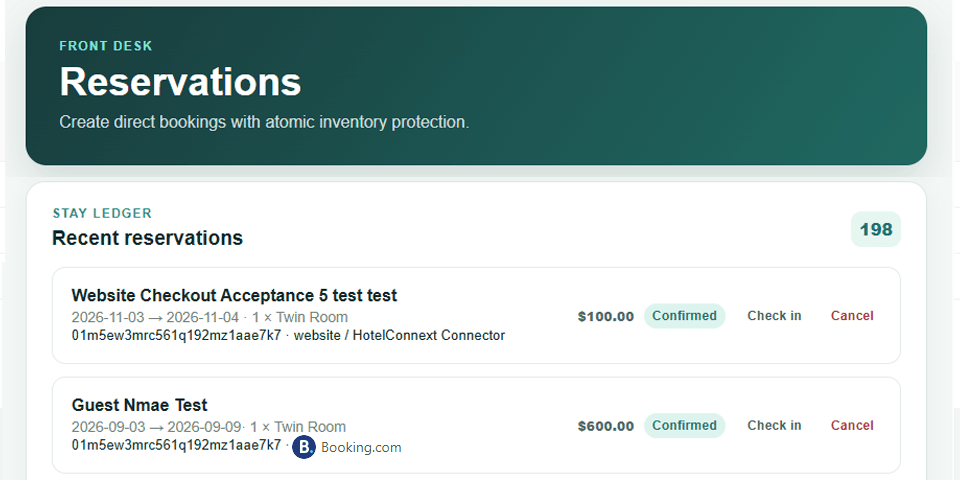
Step 2 — Find the matching HotelConnext reservation #
Find the same reservation in HotelConnext and confirm these fields match.
Step 3 — Check availability on every occupied night #
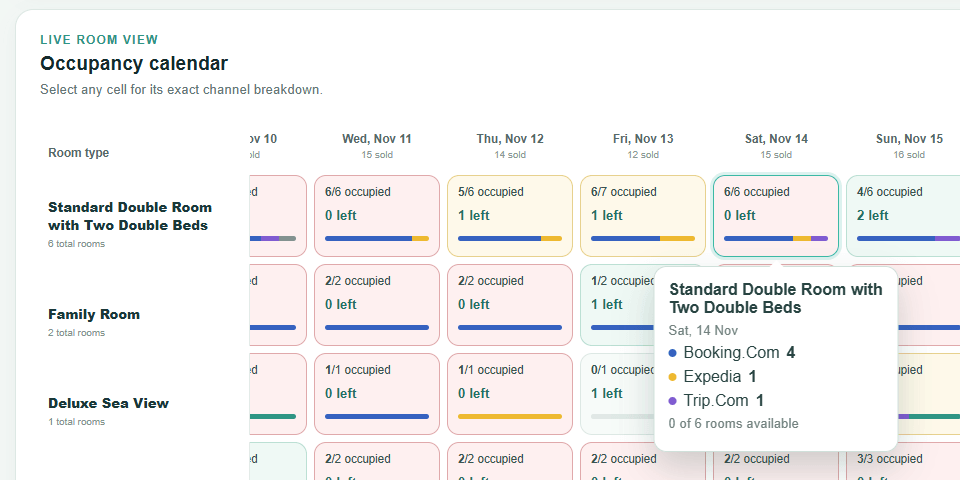
Check that availability changed for every occupied night in HotelConnext and the connected channels.
Step 4 — Check website inventory when connected #
Check the website inventory if your website connector is enabled.
If the reservation is missing, keep the OTA confirmation and contact support with the reservation number and time. Avoid entering the same booking twice while the sync status is being checked.


